- Product

- Pricing
- Affiliate Program
- Developers
- Resource
 EN
EN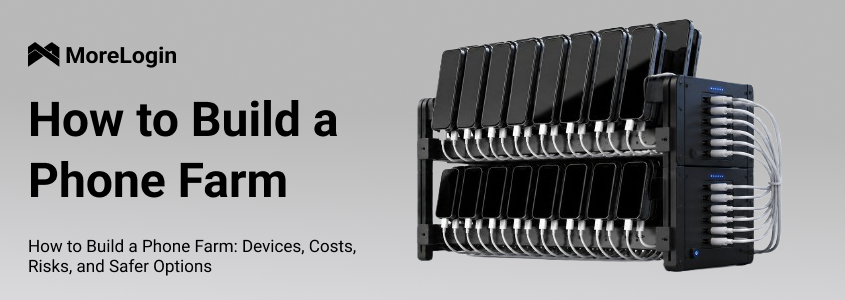
Many people search for How to Build a Phone Farm because the idea looks simple at first: buy a group of used phones, connect them to power, install the apps you need, and manage them from one place. A phone farm is a setup that uses many physical phones to run repeated mobile tasks at scale.
Before going further, it is important to separate the hardware concept from risky or illegal use cases. Phone farms are often connected with fake clicks, fake installs, ad fraud, and other activities that violate platform rules. This article only discusses the device setup, real costs, maintenance pressure, and safer alternatives for legitimate mobile workflows.
If you are new to the concept, you can first read this guide on what is a phone farm. Then you will have a clearer idea of why phone farms exist, how they work, and why many teams are now moving away from physical devices.

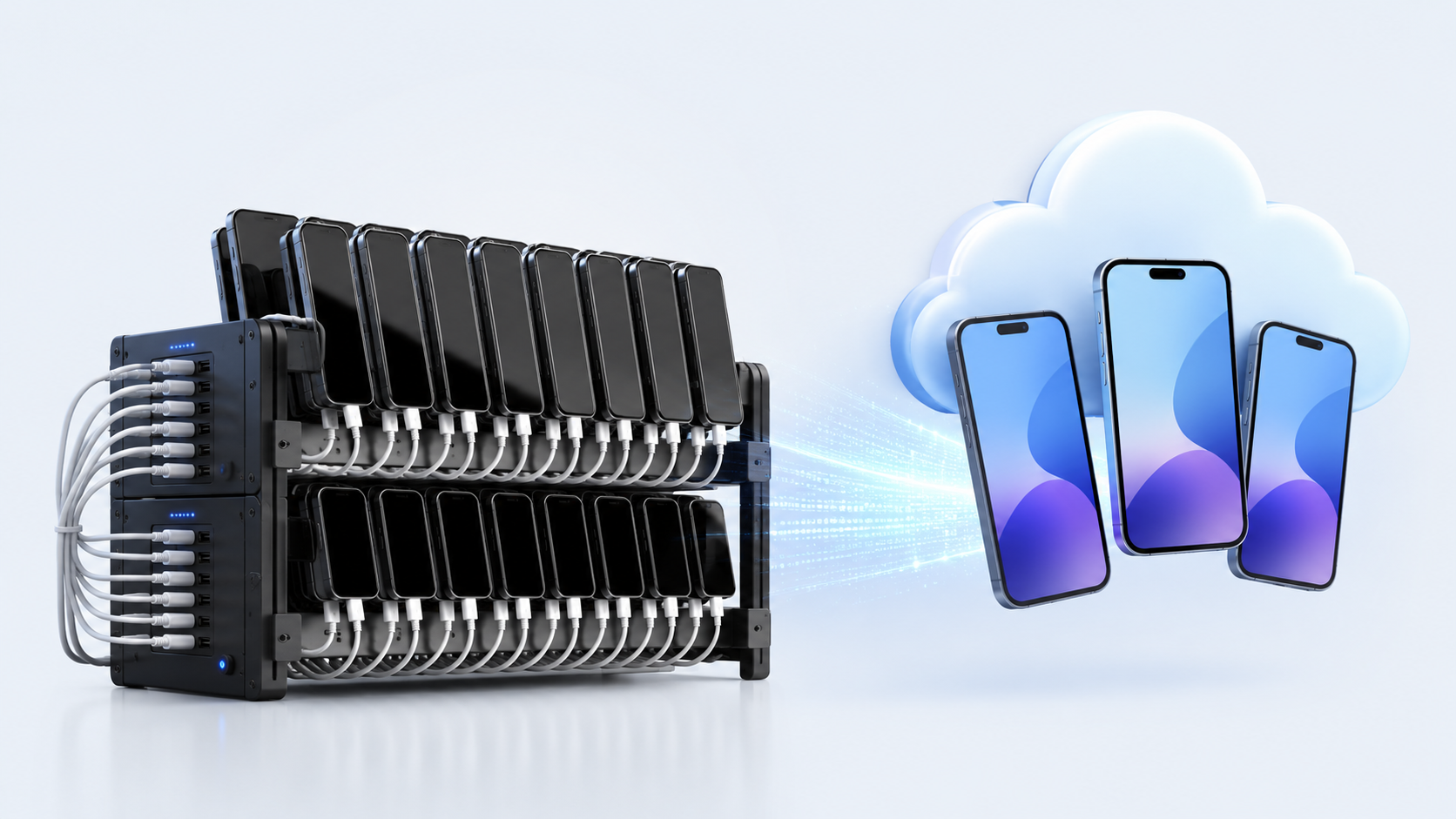
A basic phone farm setup is not just a pile of phones on a desk. Once you want the system to run for hours every day, every small accessory matters.
Used Android phones: Most people start with second-hand Android phones because they are cheaper and easier to source in bulk. Android 6.0 or above is usually enough for basic tasks, but newer systems are easier to support. If possible, choose the same model in batches. Mixed models mean different screen sizes, system versions, charging behavior, and maintenance problems.
USB hubs: A USB hub connects multiple phones to the host computer or control system. Some phone farm boards support around 20 ports. Cheap hubs may disconnect, overheat, or fail when many devices are plugged in for a long time. This is one of the first places where a low-budget diy phone farm starts to break down.
Charging cables and adapters: Cables look cheap, but they fail often. A large setup needs many short, stable data cables and enough power adapters. Poor cables cause unstable charging, loose connections, and random offline devices.
Power supply: A large group of phones needs stable power. Some hardware boxes use high-output power adapters, but this also means power planning becomes serious. Do not treat it like charging one or two phones at home. Too many devices on weak power strips can create heat and safety risks.
Industrial router: A home router may work for a few phones, but it is not designed for dozens of devices staying online all day. For a larger phone farm, an industrial router or stronger network setup is usually needed.
Proxies or mobile network plans: Some teams separate network environments for different devices. This adds recurring cost and configuration work. It also needs to be used within platform rules, not for fake traffic, spam, or fraud.
Phone racks or chassis: Racks keep phones organized and make cooling easier. Without racks, phones often get stacked together, which traps heat and makes checking devices harder.
Cooling fans: Heat is a real issue. A few warm phones are manageable. Fifty warm phones in the same corner are different. Fans, spacing, and ventilation are necessary for long running hours.
Host computer and management software: Many physical phone farms need a computer to control devices, mirror screens, install apps, or run scripts. The computer also needs enough ports, RAM, and storage to handle the workload.
Safety tools and workspace planning: Cable labels, surge protection, enough spacing, and regular inspection are not optional at scale. A messy setup is harder to repair and easier to overheat.
So, when people ask How to Build a Phone Farm, the honest answer is: you need phones, power, network, control software, cooling, racks, and a workspace that can safely handle all of them.
The cost of building a phone farm depends on device quality, device count, location, electricity price, and the level of control you need. The phone itself is only the visible part of the budget.
A small setup with 10–20 phones can be used for testing, app access, QA tasks, or simple mobile workflows. Some beginners also use multiple smartphones for passive income through reward apps that involve watching ads, completing surveys, or playing games. At this size, the cost usually includes:
second-hand Android phones
USB hubs
data cables
chargers or power adapters
a router
a phone rack
basic cooling fans
a host computer if screen control is needed
At first, this looks affordable. But the quality of used phones matters. A cheaper phone with a weak battery, bad charging port, cracked screen, or old system may cost more later because it fails faster.
For a small phone farm setup, the biggest mistake is buying only by price. If every few days one device stops charging or one cable disconnects, the system becomes annoying to maintain.
At 50–100 devices, building a phone farm is no longer a simple desk setup. It becomes a hardware operation, and how many devices you need depends on the intended usage, since a setup built to automate tasks across multiple mobile devices is planned differently from a small testing setup.
You need more racks, more power planning, more network capacity, more airflow, more spare devices, and more time for checking problems. If ten phones go offline in a small setup, you can fix them manually. If ten phones go offline every day in a 100-device setup, that is already a maintenance routine, and larger operators may need systems to monitor devices and manage dozens efficiently as the farm grows.
This is where the real cost starts to show. Every new batch of phones needs to be purchased, tested, charged, connected, labeled, and added to the system. If the devices are not the same model, the management work becomes heavier.
A larger phone farm setup may also need a dedicated room, better wiring, stronger cooling, and someone who checks the devices regularly. The setup cost is not a one-time payment. It keeps coming back through repairs, replacements, and labor.
The hidden costs are usually the reason people regret building too fast.
Used phones may have aging batteries, loose charging ports, unstable Wi-Fi, weak screens, or slow systems, and while used devices often look cheaper upfront, they can reduce better performance because worn batteries, ports, and thermals cause more failures. USB hubs and charging cables are also consumables. They are not expensive one by one, but in bulk they become a real maintenance cost.
Power is another issue. A single phone does not use much electricity. Dozens of phones, cooling fans, routers, and host computers running every day will show up on the bill.
The biggest hidden cost is labor. Someone has to check which device is offline, which cable is loose, which phone is overheating, which app crashed, and which device needs to be replaced. Keeping everything running smoothly usually also means regular cleaning, port checks, and cooling checks, especially when devices are mounted in a phone farm box or rack.
A simple way to think about it:
Total cost = phones + accessories + network + power + replacements + maintenance time
That is why How to Build a Phone Farm should not only be answered with a shopping list. It should also include what happens after the devices are turned on.
A physical phone farm is not always a bad idea. It depends on scale, workload, budget, and risk tolerance. The problem is that many beginners only see the device count and ignore the operating cost.
A physical phone farm may still make sense when the device count is small and the workflow is simple. In this context, a phone farm is a centralized network of smartphones used for automated tasks, and the most legitimate example here is still internal app testing.
For example, if a team only needs a few real devices for internal testing, app checking, screen comparison, controlled manual work, or light social media account workflows, physical phones can be practical. The team can hold the phones, check the screens, replace cables, and fix issues directly.
It may also work when the team already has hardware, enough space, and someone who understands Android device maintenance. In that case, the phone farm is not a quick side project. It is treated as equipment that needs regular care. Running one phone for occasional tasks is different from building a real farm, because scale starts when you coordinate multiple smartphones.
The key point is legality and control. If the setup is used for fraud, fake engagement, fake installs, or platform abuse, the risk is not just technical. It can also create account, payment, legal, and brand problems.
The cost starts to outweigh the benefit when daily maintenance becomes part of the workflow. Without automation scripts, teams end up manually logging in, opening different apps, and restarting tasks across devices.
The signs are easy to spot:
phones disconnect often
batteries heat up or degrade
USB ports become loose
cables need frequent replacement
the router cannot handle the load
devices need manual checking every day
the team spends more time maintaining phones than doing actual work
APIs or synchronizers are often used to automate repetitive work and reduce constant supervision, but they also add setup complexity.
There is also a safety problem. Many phones charging in the same space create heat. Messy cables make inspection harder. Weak power strips or poor planning can create fire hazards. This is not something to ignore, especially when devices run for long hours.
A small diy phone farm can be a learning project. A larger one becomes a hardware management problem.
Ten phones are easy to understand. You can look at them, count them, and fix them one by one.
One hundred phones are different. You need device groups, naming rules, network planning, remote access, task tracking, often with centralized device management to track status and battery levels in real time as the farm grows, and permission control plus account management. You also need to know who can use which device and what happens when a team member leaves.
This is why many teams no longer ask only How to Build a Phone Farm. They start asking a better question: how can we run many Android environments without buying and maintaining every physical phone?
That question leads to cloud phone.
Cloud Phone is a more practical option for teams that need scalable Android workflows but do not want to manage racks of physical devices. Instead of buying second-hand phones, setting up USB hubs, planning power, and checking cables every day, teams can create cloud-based Android devices from a dashboard.
With Cloud Phone, teams do not need to buy phones one by one. They can create Android environments in the cloud and start working faster. These cloud phones run genuine Android systems with real hardware identifiers, making them closer to physical devices from a platform-detection standpoint, similar to a Samsung phone rather than a basic emulator.
This changes the starting point. A traditional phone farm starts with hardware purchase. A cloud phone workflow starts with device creation. There is no need to wait for second-hand phones, check batteries, test charging ports, or arrange racks.
For teams that need to launch many mobile environments quickly, this is a big difference.
Scaling a physical phone farm means buying more phones, more hubs, more cables, more power tools, and more space.
Scaling cloud phones is much cleaner. Devices can be created and managed from one dashboard, and modern phone farms are often remote-managed instead of being kept in the same location, which makes dashboard-based scaling more appealing. Teams can open, organize, and control multiple Android environments without touching physical hardware.
This is where MoreLogin Cloud Phone fits naturally. It gives teams a centralized way to manage cloud-based Android environments instead of spreading phones across desks, racks, and rooms.
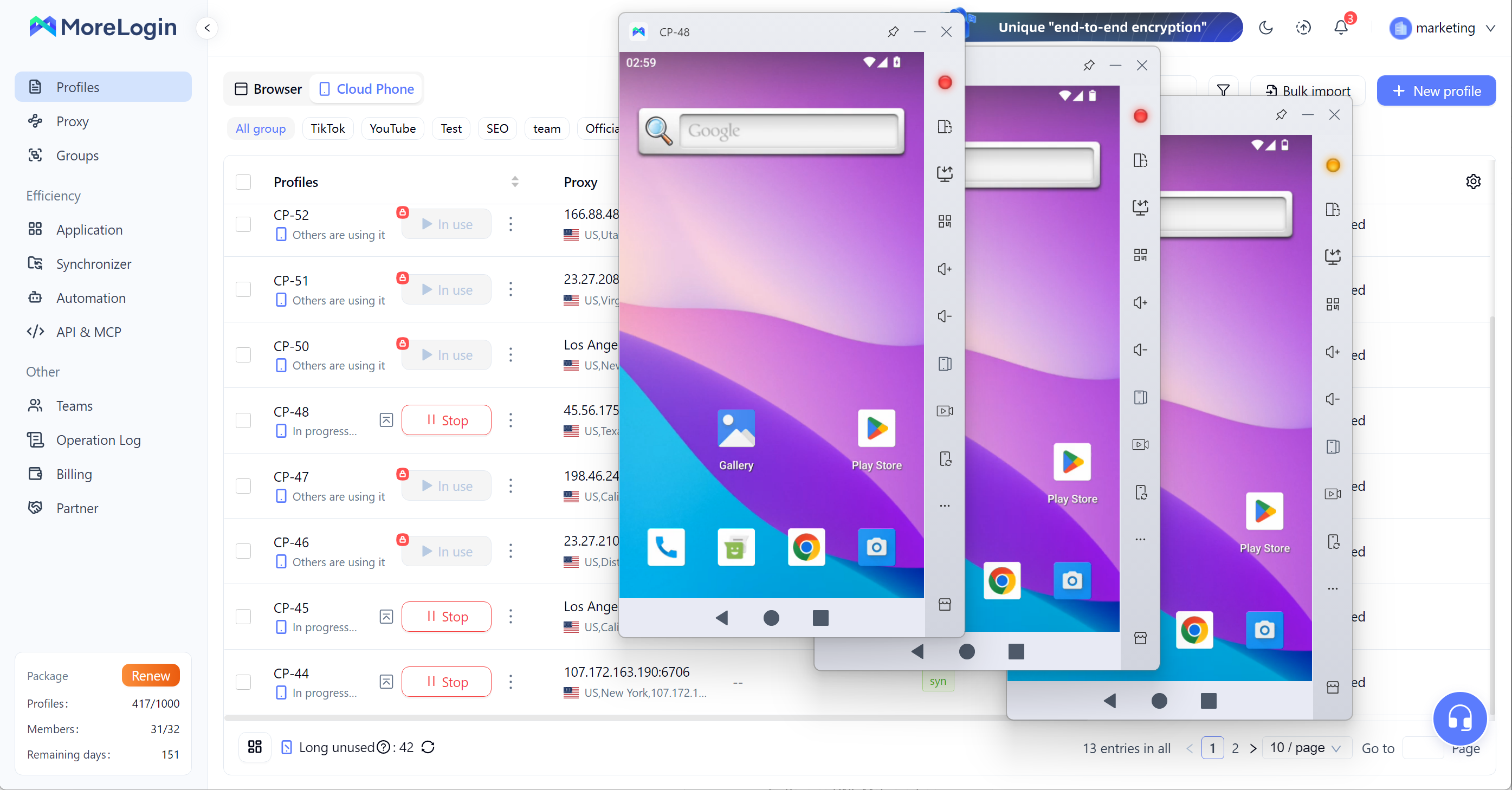
Cloud Phone does not require local charging cables, phone racks, or battery checks. That does not mean every operational problem disappears, but it removes a large part of the physical maintenance burden.
There is no pile of phones heating up in the corner. No loose cable causing one device to drop offline. No battery swelling issue from old second-hand devices. No need to replace a broken screen just to keep a workflow running.
For long-term work, reducing these small problems matters more than it looks.
MoreLogin Cloud Phone runs Android environments in the cloud, powered by ARM-based infrastructure. But real Android environments alone do not solve privacy or compliance issues when teams manage multiple accounts on sensitive platforms. This is different from relying only on local PC emulators that consume your computer’s CPU, memory, and graphics resources.
For teams that need mobile workflows, ARM-based cloud Android environments are closer to real mobile use than a lightweight desktop emulator. They are also easier to centralize, assign, and manage. Strong privacy controls usually mean dedicated residential proxies, location-matched IPs, and anti-detect tooling to reduce account bans. Operators may also check IP status with tools such as WhoerIP to confirm each environment matches its intended setup and digital identity.
This makes cloud phone a better fit for work that needs stable Android access, repeatable setup, and long running sessions in today’s digital world.
A physical phone farm still needs a lot of repeated work. You may need to install apps, change settings, enter text, check screens, or repeat the same steps across many devices.
MoreLogin Cloud Phone is built for this kind of work. Teams can use batch operations, synchronized actions, and automation workflows as the right tools when they need to automate tasks across many environments while keeping repeated work organized.
The point is not to make fake behavior. The point is to reduce waste when a team has legitimate repeated mobile tasks, such as app testing, account environment setup, file upload, APK installation, or internal workflow checks, which can improve earning potential in legitimate high-volume mobile workflows by reducing wasted manual time.
Physical phones are hard to share cleanly. Someone has to hold the device, connect it, or access the local machine. If multiple people need to use the same device group, management becomes messy.
Cloud Phone is easier for teams. Devices can be accessed remotely. Admins can assign permissions, control who can use which environment, and remove access when needed. Teams handling multiple accounts also need proper account separation and controlled access to reduce bans or restrictions. This is especially important for clients running e-commerce storefronts across different platforms, where each store needs its own device identity and signature for compliant account management.
For growing teams, this is more important than the device itself. A scalable mobile workflow needs not only devices, but also access control and team management.
For a deeper comparison, read this guide on cloudphone vs phone farm.
Learning How to Build a Phone Farm is useful because many people want to earn money or make money with phones, but real results usually depend on scale, ongoing management, and legitimate workflows rather than easy claims: phones, USB hubs, power supply, routers, racks, cooling, software, and daily maintenance. But the real question is not only whether you can build one. The real question is whether it is worth maintaining at scale.
For small setups, physical phones may still work. For larger teams, more devices can mean more money, but they also increase labor, risk, and cost, so the cost of repairs, power, heat, cables, device failure, and manual checking can become too heavy. That is why cloud phone is becoming a cleaner option for scalable Android workflows.
Instead of managing racks of aging devices, teams can create cloud-based Android environments, run batch work, control access, and manage devices from one dashboard.
How Much Does It Cost to Build a Phone Farm?
The cost depends on the number of phones, device quality, network setup, accessories, electricity, cooling, and labor. A small setup with 10–20 devices may look affordable, but the cost grows quickly when you add spare devices, cables, power tools, racks, routers, and maintenance time.
What Devices Do You Need for a Phone Farm?
A basic phone farm usually needs used Android phones, USB hubs, data cables, charging adapters, a strong router, phone racks, cooling fans, a host computer, and safe power tools. If the device count grows, you also need better workspace planning and regular hardware checks. Some setups for running reward apps or testing farming apps also rely on stable internet, and advanced setups may require technical knowledge because tools such as Playwright Android can help control interaction across devices.
Is a DIY Phone Farm Easy to Maintain?
A diy phone farm is manageable at a small scale, but it becomes harder as the number of devices grows. The difficult part is not only setting up the phones. It is keeping them charged, connected, cooled, updated, and working every day.
What Are the Main Risks of a Phone Farm?
The main risks include hardware failure, overheating, aging batteries, loose charging ports, cable clutter, unstable network connections, power pressure, and fire hazards. There are also platform and legal risks if the setup is used for fake clicks, fake installs, spam, or fraud. Some mobile phone farms are also used for crypto airdrop farming with multiple wallets and accounts, but that adds platform, security, and compliance risks for users and farmers.
Is Cloud Phone Better Than a Physical Phone Farm?
Cloud Phone is usually better for teams that need scale, remote access, batch operations, and lower hardware maintenance. A physical phone farm may still work for small local testing, but it becomes harder to manage when the device count grows.
Can MoreLogin Cloud Phone Replace a Phone Farm?
MoreLogin Cloud Phone can replace many physical phone farm workflows by offering cloud-based Android environments, real ARM Android access, batch operations, remote control, team permissions, and scalable device management from one dashboard.
 EN
EN